By: Josh Varden, Cofense Phishing Defense Center
Given cryptocurrency’s rise in popularity, it has slowly worked its way into the mainstream economy. Coins such as Bitcoin, Ethereum, Sol, and other digital currencies are commonly used in place of traditional currencies to complete transactions. To help manage transactions, an individual will need brokerage apps and services to ensure a safe, smooth, and secure money flow. But what happens when a new method of payment becomes mainstream? Attackers will try to find a way to exploit these systems and take advantage of individuals.
The Cofense Phishing Defense Center (PDC) has encountered several examples of the popular cryptocurrency brokerage service, Bitpanda, being impersonated. PDC analysts have seen Bitcoin scams and credential phishing attempts in the past; however, this particular example goes to greater lengths to acquire more personal information. Attempting to get multiple forms of information and identification, the attackers used tactics that would seem legitimate to the everyday user. User information such as name verification, email and password credentials, and location were all used in this attempt to harvest information under the guise of a multi-factor authentication process.
.png?language=en "Figure1 (14)")
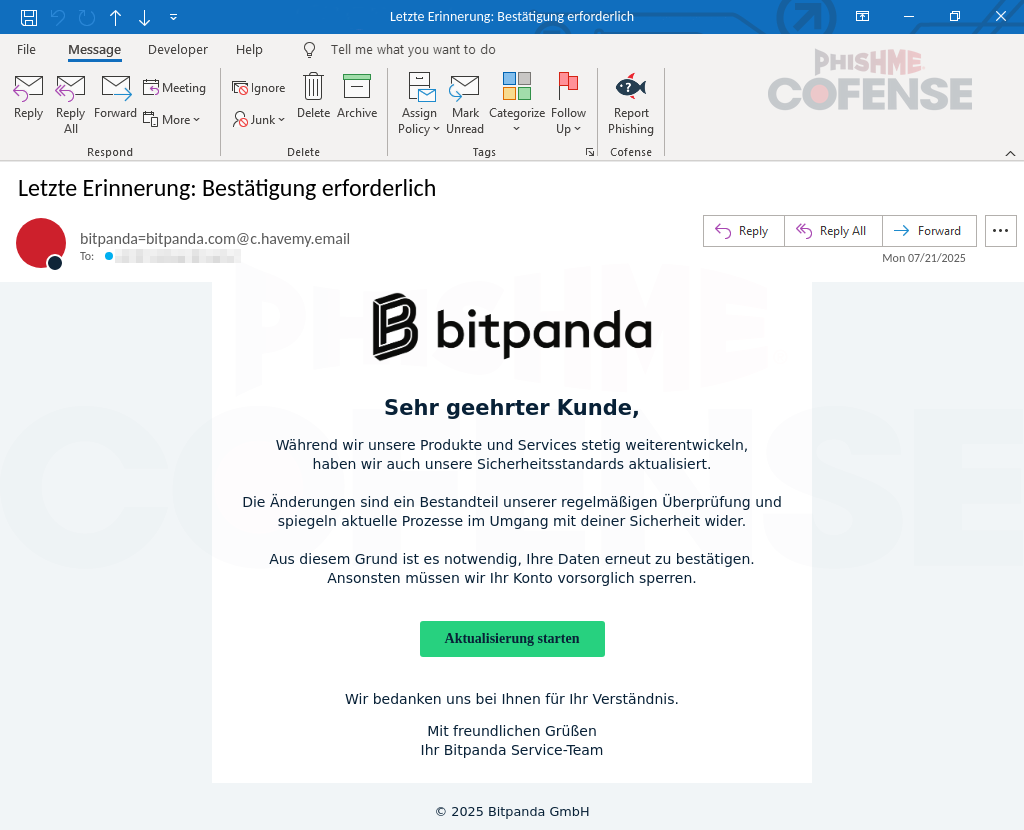
Figure 1: Email Body
The initial attack starts with what looks like a seemingly normal email from Bitpanda containing proper formatting, labels, and logos that would look familiar to users. When translating the text from German, a section reads:
“As we continue to develop our products and services, we have also updated our security standards. The changes are a part of our regular review and reflect current processes in dealing with your security. For this reason, it is necessary to reconfirm your information. Otherwise, we will have to block your account as a precautionary measure.”
Companies normally have users update their account info for verification purposes, however, focusing on the last part of that statement is critical. It states that if the user does not comply, their account will be blocked as a “security measure.” This immediately raises suspicion as this is a common scare tactic attackers use to lure users into performing unwanted actions.
The button immediately below the “blocking statement” translates to “Start Update,” prompting the user to click and eventually leading them to what would be a credential and PII (personally identifiable information) phishing scheme. Hovering over the button reveals a URL that is not an official Bitpanda URL. Other notable issues with this email include the lack of capitalization in the large Bitpanda logo at the top of the page, as well as the “from address" not being from the company's domain.
.png?language=en "Figure2 (14)")
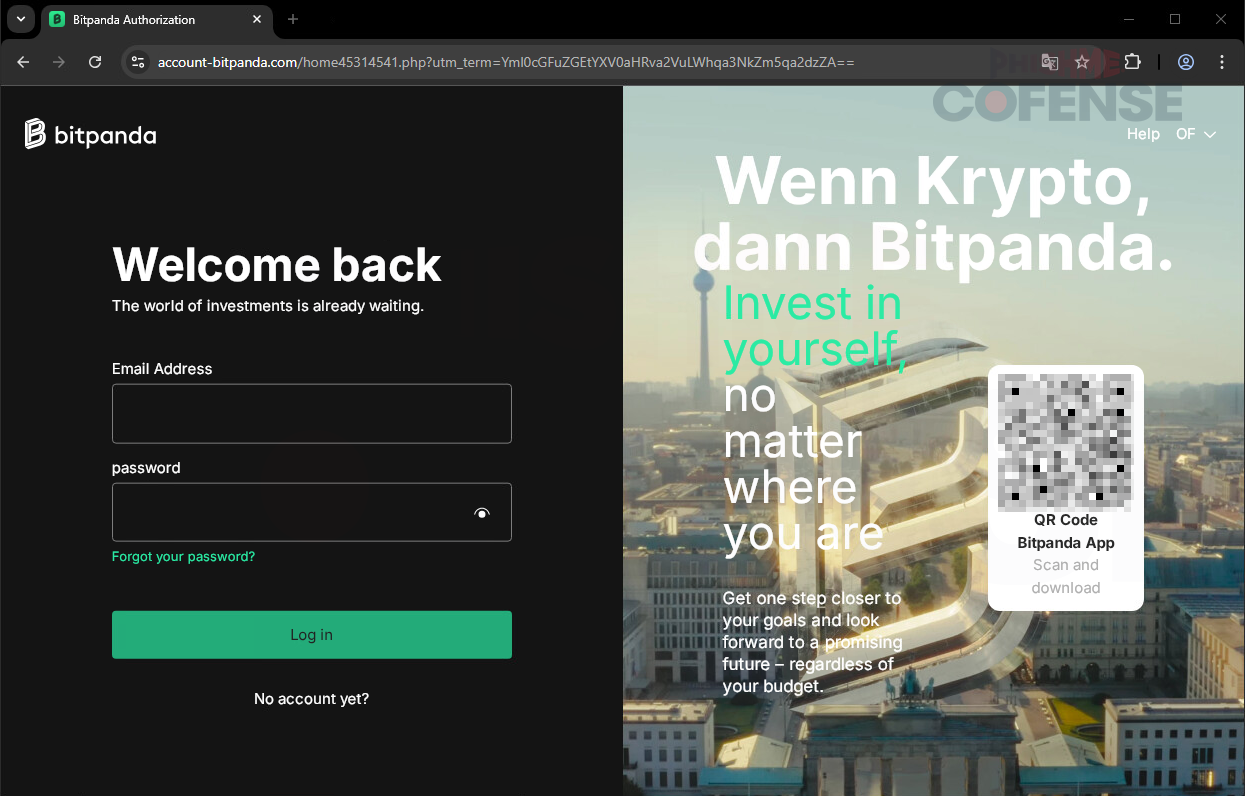
Figure 2: Phishing Page
After clicking the button in the email, users will be directed to the landing page shown in Figure 2. When compared to a real Bitpanda page, the threat actor’s fake page is incredibly close to the real thing. The attacker made a nearly identical replica, easily leading users to trust the page as it should be the expected Bitpanda login. The QR code located to the right of the page also leads to an official download page for the Bitpanda app, making the page seem even more trustworthy. However, one major flaw on this website is the URL. The domain “account-bitpanda[.]com” is fake and was only created a few days prior to the time of analysis. The real Bitpanda domain, “account.bitpanda[.]com” is the real one. Not much of a change, right? The attacker made sure to choose a deceptively similar domain name when creating this scheme. Due to the accuracy of this page, it makes it very believable that this would be a real login page, thus prompting the user to log in with the username and password credentials.
.png?language=en "Figure3 (14)")
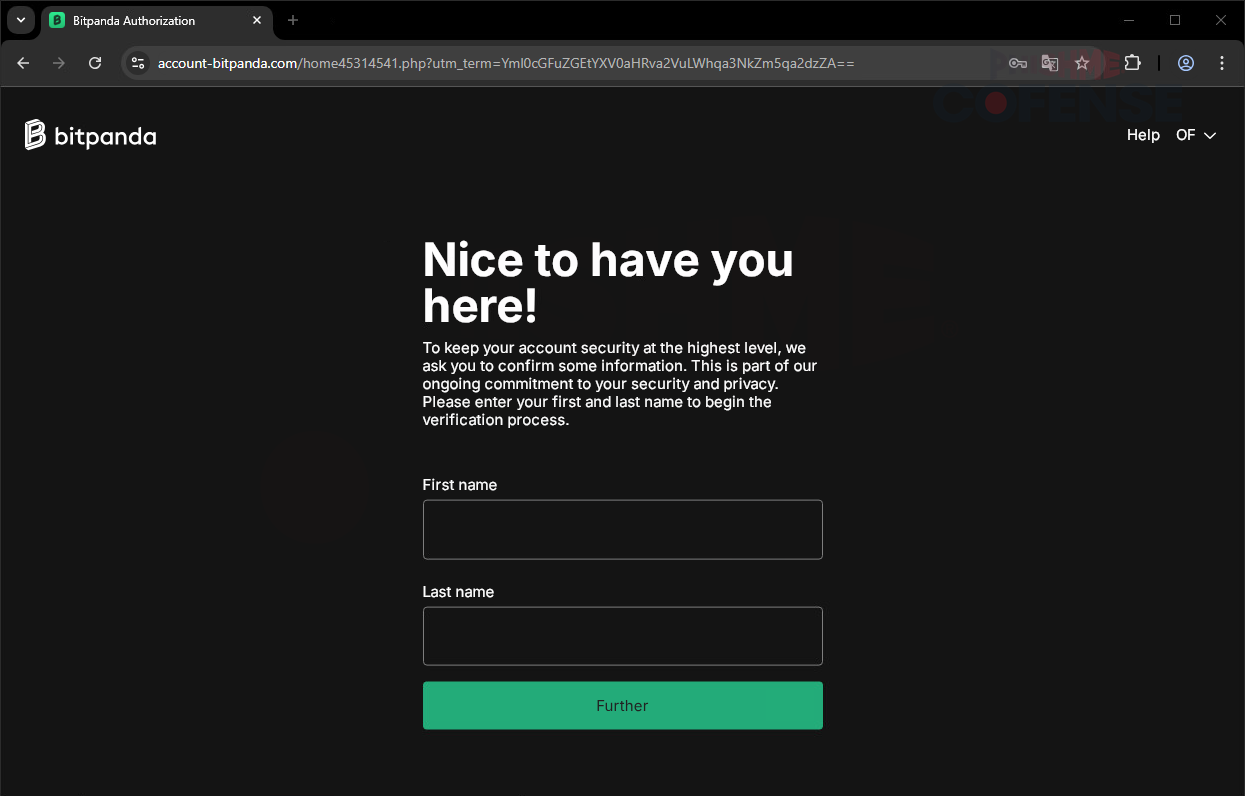
Figure 3: First and Last Name Phishing Page
Upon entering a username and password, users are brought to the above page shown in Figure 3. Utilizing the same malicious domain, the attacker has captured credentials and is now looking to grab sensitive PII, starting with both the first and last names of the user. Notice in the description above, the input boxes that the attacker reiterates that this is a multi-factor authenticator and asks to “confirm some information.”
.png?language=en "Figure4 (10)")
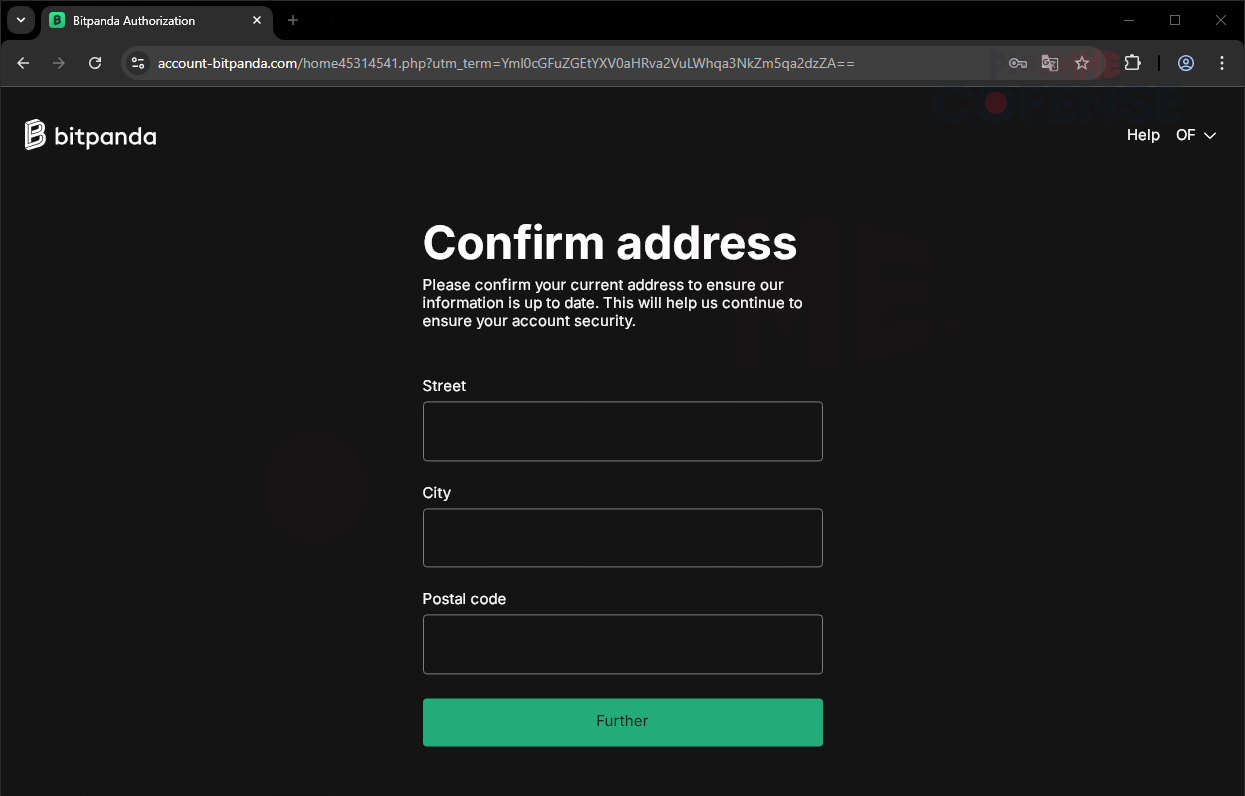.png?language=en "Figure5 (7)")
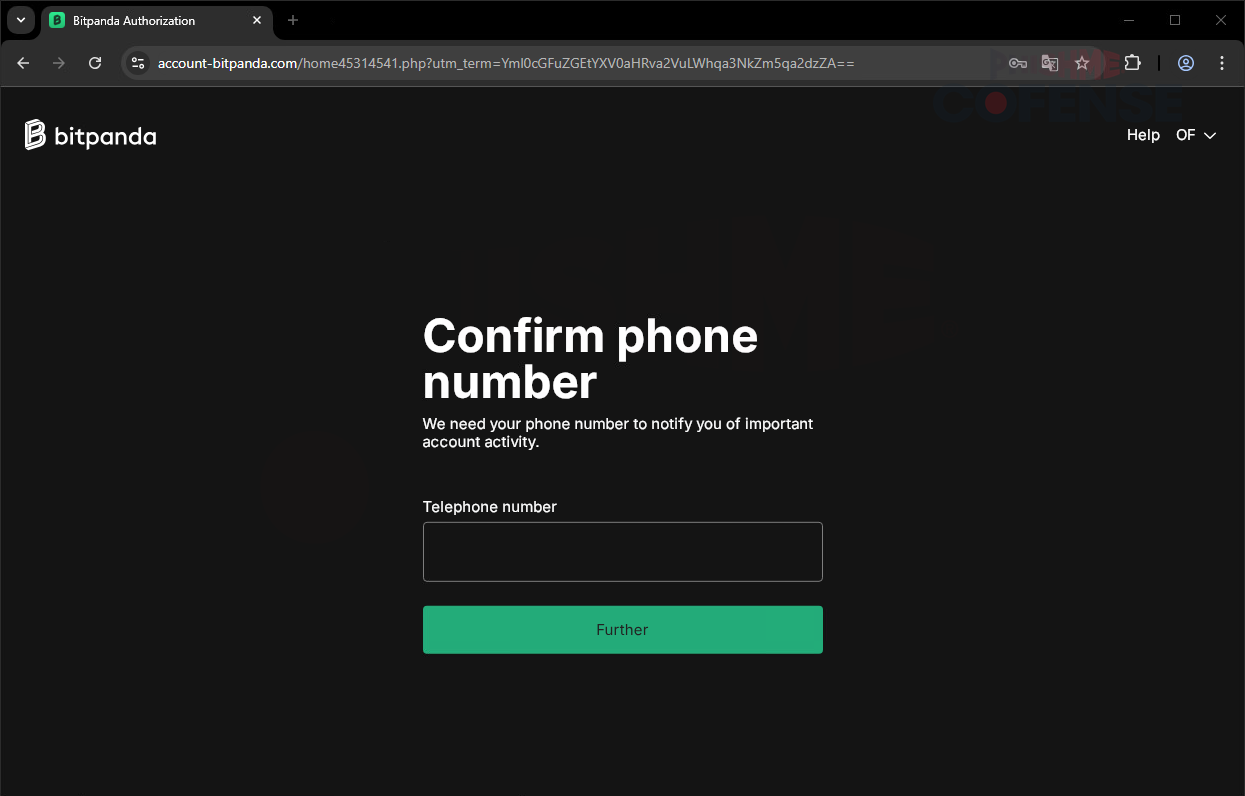
Figure 4-5: Phone Number and Address Phishing Pages
As the alleged multi-factor authentication process continues, the page will load into a new form featuring the next step in the “verification process.” As shown in Figure 4, the attacker requests the user's telephone number. Commonly used two-factor or multi-factor authenticators often rely on phone numbers and SMS delivery for one-time passwords (OTPs); which are needed to successfully log in. After harvesting the user’s full name and telephone number, clicking the “Further” button again takes you to the page shown in Figure 5 which asks for place of residence information. This is extremely critical because it can give a precise location of where one’s workplace or one’s home is, which can be extremely dangerous in many situations.
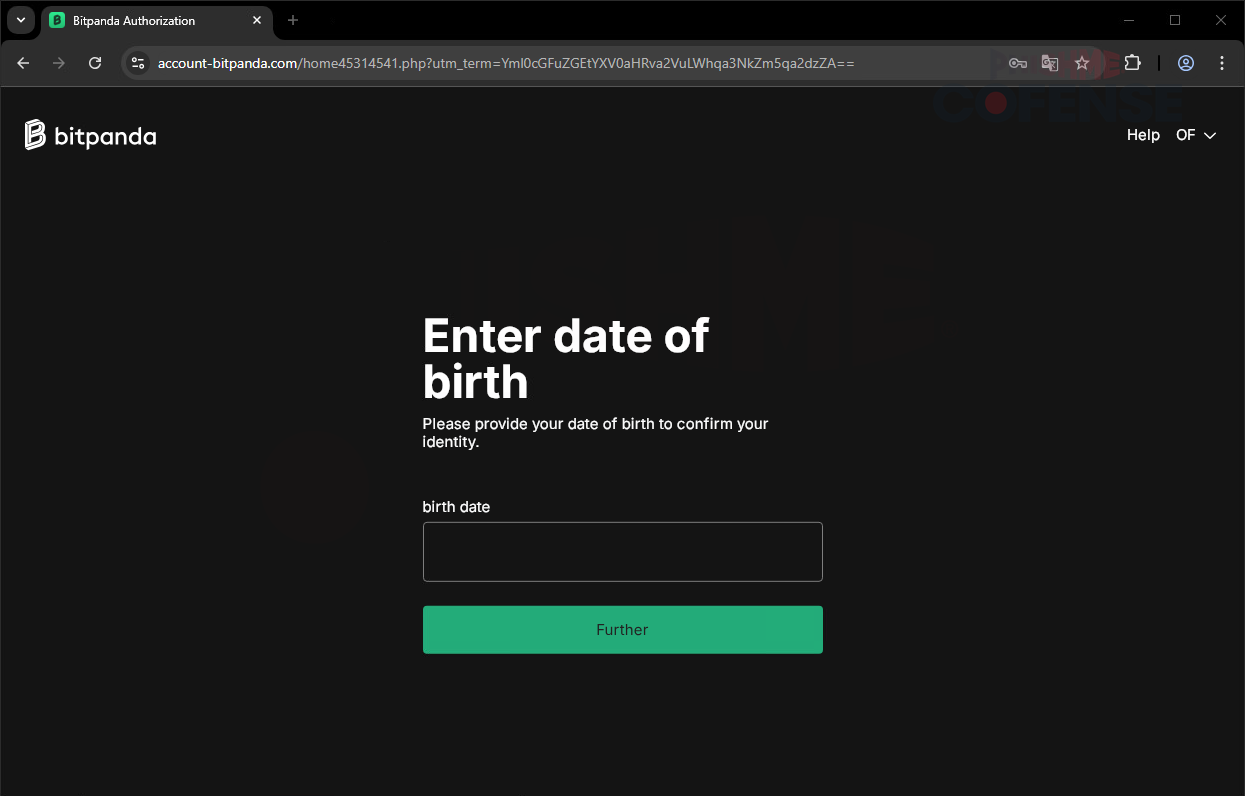.png?language=en "Figure6 (5)")
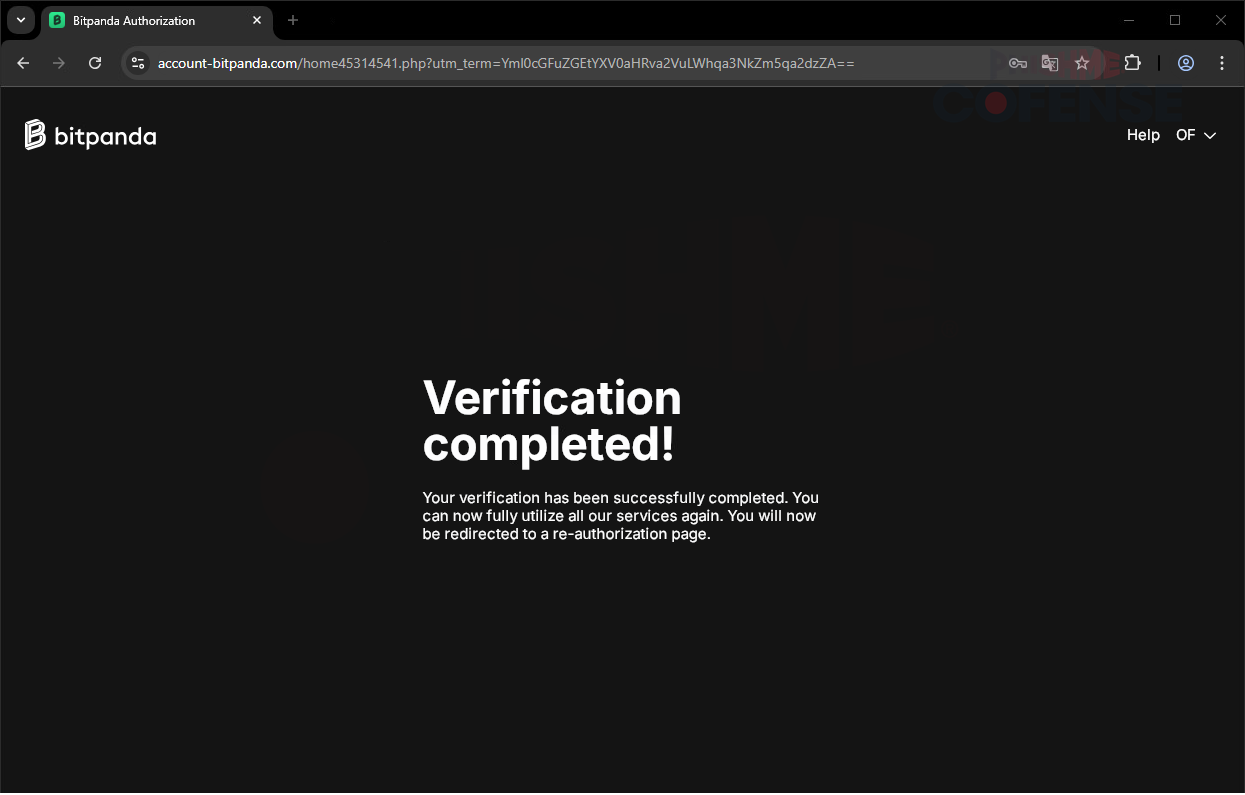.png?language=en "Figure7 (4)")
Figure 6-7: Date of Birth Phishing Page
We now reach the final page asking for information, this time asking for a birth date. A birth date is usually important for verification of information, and with the correct date, attackers can use this, and all previously gathered info, to commit dubious activities. Threat actors can use this information to attempt to utilize support tickets or password reset flows to log into or reset passwords of other accounts that the victim might have. PII, such as date of birth and phone number, are often used as backups in case of a forgotten password, and a reset can be performed. Clicking the “Further” button here will complete the fake “verification process” and lead to the final page of the attack. This is the final webpage of this campaign, and the threat actor has gathered credentials and many ways of verification. To solidify the false legitimacy of this campaign, the page still utilizes the same malicious domain along with a message saying, “Your verification has been successfully completed. You can fully utilize our services again.” Upon reaching this page, the malicious site redirects to the real Bitpanda login page, making it seem that the process was completed.
Malicious campaigns can range from broad to highly targeted. This example demonstrates the latter, with high accuracy to the real service, deceptive URL domains, and wording that makes the victim believe in a false sense of security. It not only harvested login credentials but also harvested sensitive user information. Campaigns like these can be headed off with tools designed to detect and quarantine threats that slip through secure email gateways (SEGs). This example slipped through a SEG-protected environment; however, it could not slip past Cofense Managed Phishing Remediation. Our Managed Phishing Remediation and associated team of analysts in the Cofense Phishing Defense Center (PDC) is positioned and trained to catch malicious attacks through human interaction and intelligence, advanced detection technology, and real-time training. Schedule a demo today to learn more.