By: Willmar Cheng, Cofense Phishing Defense Center
Imagine receiving a digital invite from a friend or relative. The message looks legitimate; the timing feels believable, and curiosity naturally takes over. This sense of curiosity and trust is exactly what cybercriminals are exploiting. The Cofense Phishing Defense Center (PDC) has recently intercepted a malicious email disguised by an online event invitation. Choosing to RSVP through the attached URLs leads users to a fake event page containing malware that grants threat actors remote access to systems.
This attack is notable because the email looks harmless, and these emails are more common as the holiday season begins. The campaign demonstrates how attackers can turn everyday social events into convincing malware lures.
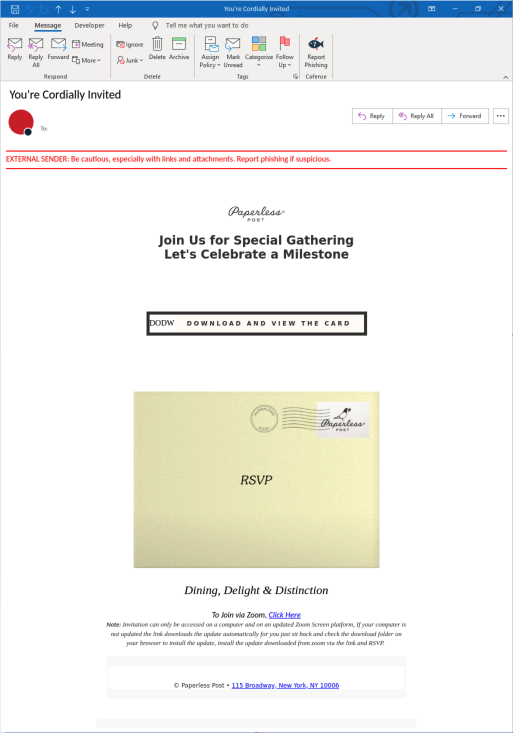
Figure 1: Email Body
Phishing emails such as this sample are effective at targeting a larger scope of users as the vague wording can be applied to a variety of situations. The generic subject line, event title, and lack of organizers or details is not just an oversight – it is the strategy. Vague messages create curiosity; curiosity overrides caution, and one click later you're downloading malware or handing over your credentials.
Breaking it down piece by piece, the manipulation gets even clearer. The subject line, "You are cordially invited," and "Join Us for a Special Gathering, Let Us Celebrate a Milestone," is engineered to feel personal without saying anything too specific. It uses the language of weddings and galas to trigger a curious reaction from the user, but the invite names no one, and no specific details are present. That's not sloppy writing; it's scaled: a generic line can be blasted to thousands of inboxes while still feeling individually addressed.
Then comes the button, "Click Here to Download the Invite," where the email capitalizes on all that setup. The threat actor utilizes a forced download in this case to hide the destination of the malicious file that the user unknowingly downloads once the button is clicked.
.png?language=en "Image 2 (1)")
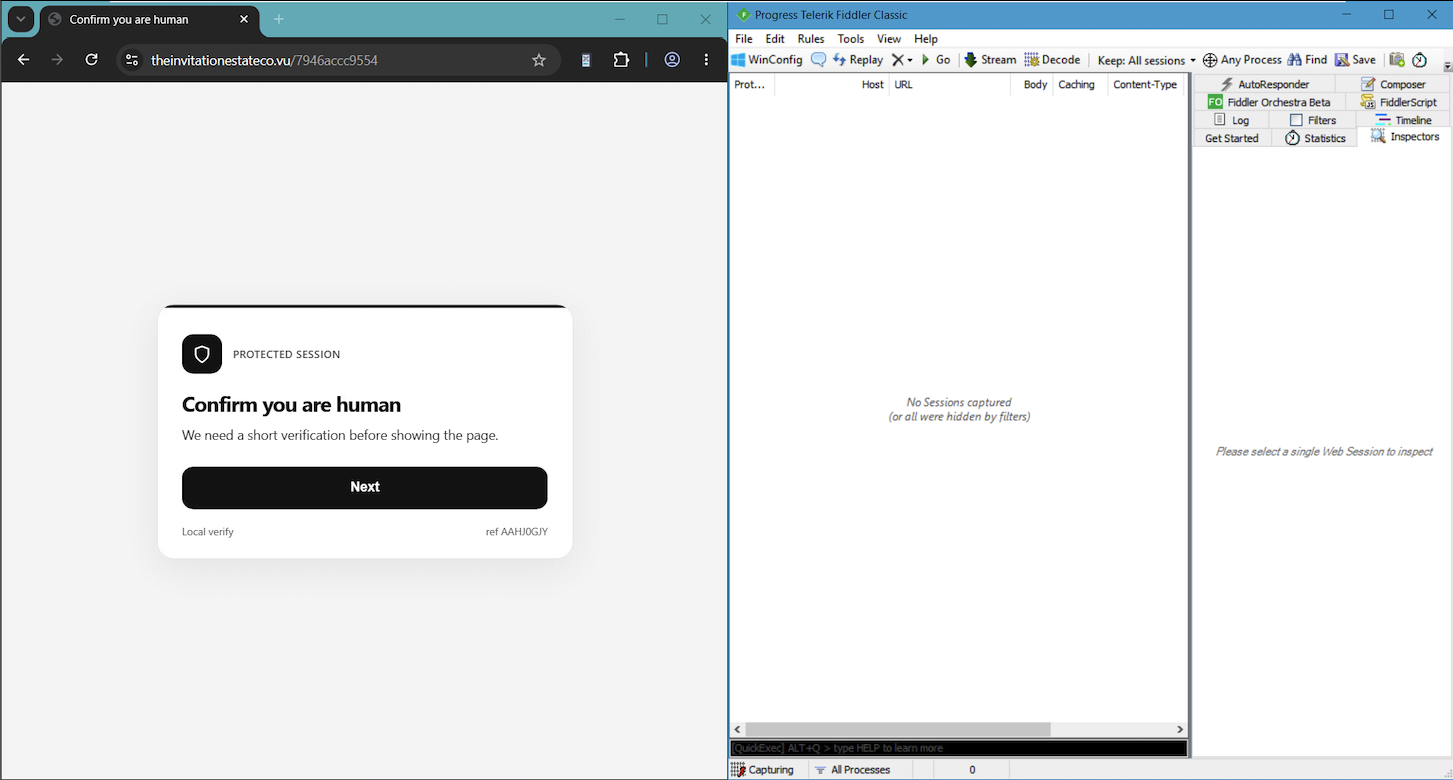
Figure 2: CAPTCHA Verification
After clicking the download button, users are redirected to a CAPTCHA verification page. CAPTCHAs, as seen in Figure 2, are often used by threat actors to create a false sense of security for the user, making the page feel more legitimate. That illusion falls apart on closer inspection, though: the CAPTCHA is hosted on a generic, unbranded domain that's less than a month old, a strong instant indicator that the CAPTCHA and the generic URL together form a two-step confirmation that this "invite" was never legitimate to begin with.
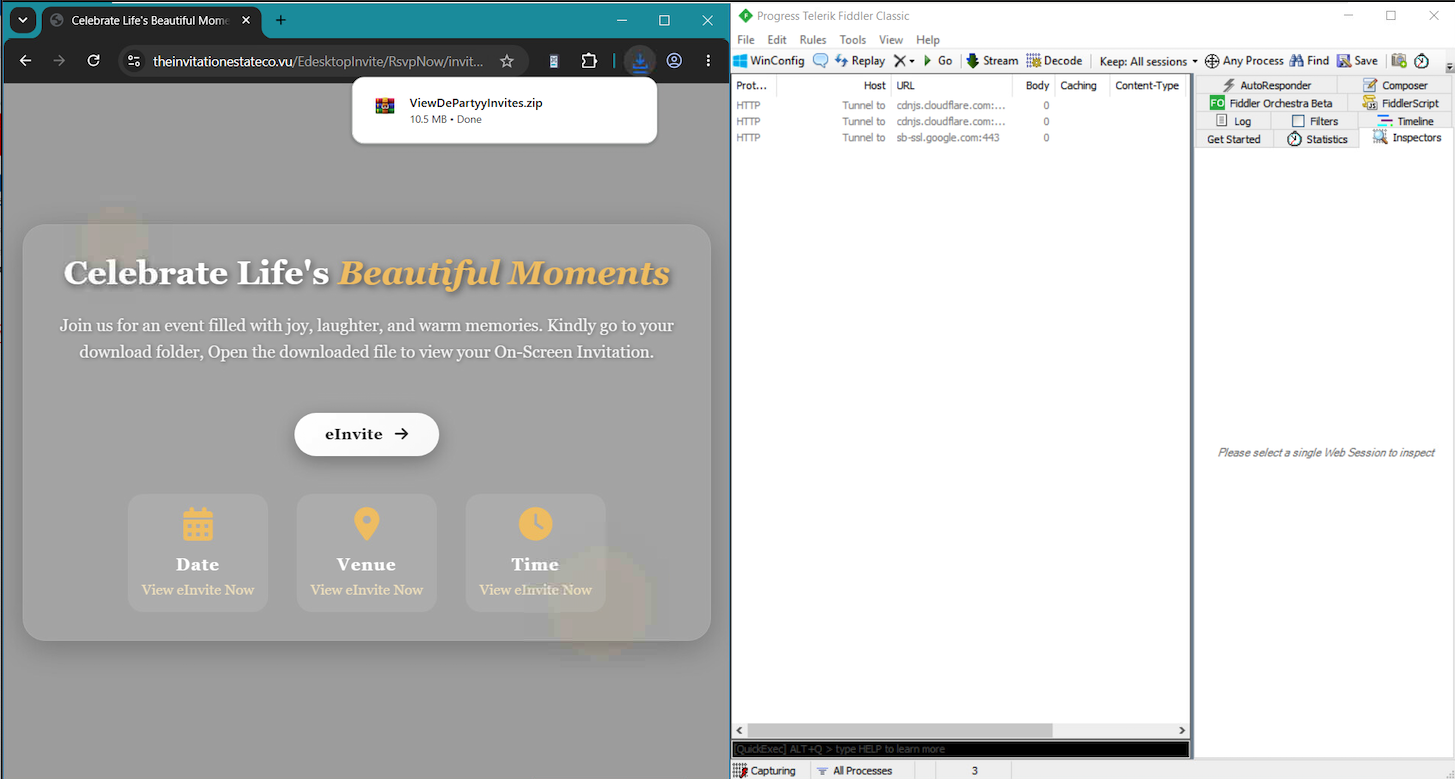
Figure 3: Malware Download Page
After passing the CAPTCHA, the user lands on a second fake invitation page shown in Figure 3. Once again, the design is deliberately generic: there's no date, venue, time, or any of the specific details a real invitation would naturally include. The only detail that screams to the victim is to click the "eInvite" button.
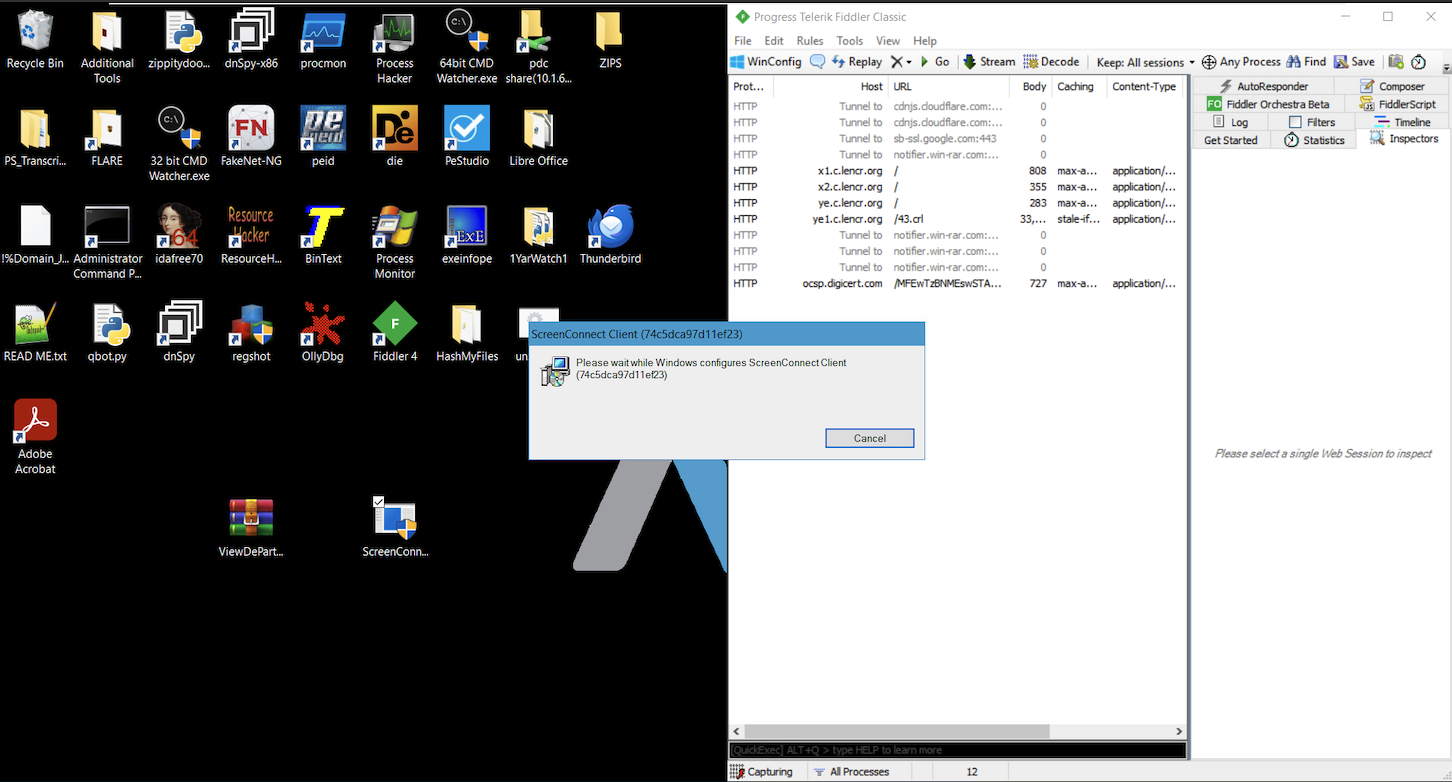
Figure 4: Malware Extracted
Clicking the “eInvite” button begins the download of a zipped folder labeled “ViewDePartyyinvites”. Inside is an executable named ScreenConnect.exe, This is a legitimate ConnectWise Screen Connect installer that is being abused by threat actors as a remote access trojan,
The RAT, remote access trojan that abuses trusted remote-support software to avoid antivirus detection. Once executed, the malware grants the threat actor full remote access to the user’s device, effectively handing over control without the user realizing what they've installed.
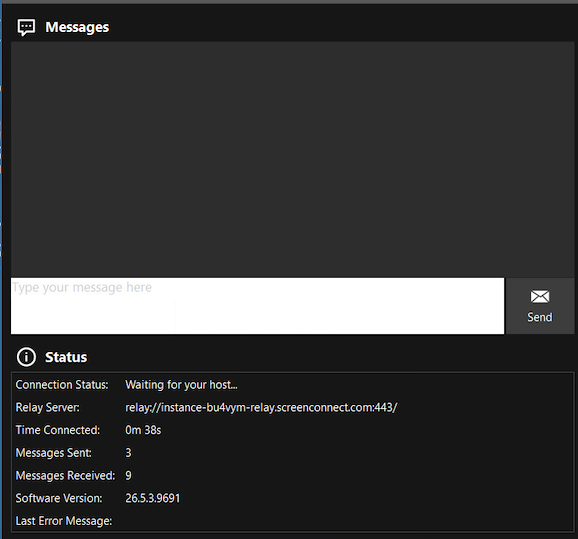
Figure 5: Malware Executed
Finally, once the executable runs, a small icon quietly appears in the taskbar, easy to miss if you're not looking for it. Clicking it reveals a chat box along with a connection status, showing the RAT actively linking up with the host machine as seen in Figure 5. This is the moment the compromise becomes fully operational. The attacker now has a live channel into the device, and from the user’s side the only visible trace is a small, unassuming icon that gives no indication of what's happening behind it.
Campaigns like this are unique because they do not use sophisticated techniques but rather use the user's own curiosity to successfully accomplish the attack. From the vague subject, email content, webpage, all push the user to click a button. This campaign illustrates the importance of training employees to spot and report these unique attacks. Cofense is uniquely positioned to spot these attacks and also catch these types of attacks that have turned up in environments protected by SEGs. With Cofense Managed Phishing and Defense, provided through our Phishing Defense Center (PDC), enterprises benefit from our complete view of real phishing and malware threats.
Email(s) IOCs:
Stage 1 - Observed Email Infection URL: | Infection URL IP(s): |
HXXps[:]//theinvitationestateco[.]vu/EdesktopInvite/ | 104.21.73.121 |
Stage 2: Discovered Malicious File(s): | |
File Name: | ScreenConnect.ClientSetup.exe |
Stage 2 – Observed Payload URL(s): | Payload IP(s): |
HXXps[:]//theinvitationestateco[.]vu/EdesktopInvite/RsvpNow/invitedetails[.]php | 172.67.162.73 |
All third-party trademarks referenced by Cofense whether in logo form, name form or product form, or otherwise, remain the property of their respective holders, and use of these trademarks in no way indicates any relationship between Cofense and the holders of the trademarks. Any observations contained in this blog regarding circumvention of end point protections are based on observations at a point in time based on a specific set of system configurations. Subsequent updates or different configurations may be effective at stopping these or similar threats. Past performance is not indicative of future results.
The Cofense® and PhishMe® names and logos, as well as any other Cofense product or service names or logos displayed on this blog are registered trademarks or trademarks of Cofense Inc.